Description
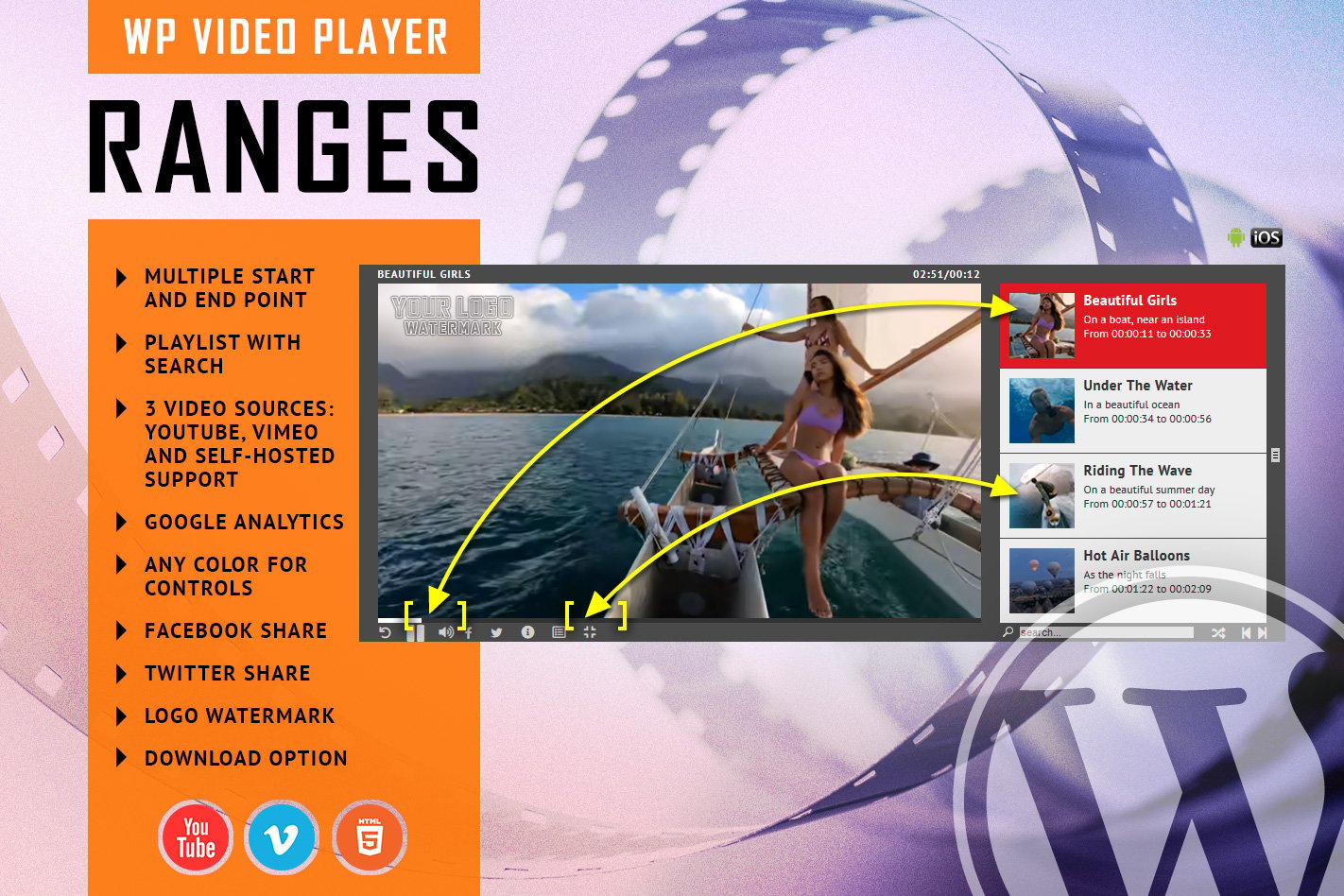
FEATURES:Time Intervals for your video – You can define, in the player playlist, time intervals for the video you are playing.Responsive Design – The plugin can be used in websites which are responsive. Optional parameter to disable responsive behavior in order to integrate it in non-responsive websites.Mobile Compatible – It is compatible with IOS and Android operating systems.Playlist with 3 versions – You can show the playlist thumb title & description or hide one of them. Also parameters for playlist size and color.YouTube, Vimeo and Self-Hosted support – It plays YouTube, Vimeo and Self-Hosted video files. For YouTube and Vimeo, all you need to use is the video ID.Playlist Search – You have the option to search the playlist. The results will be displayed as you type the search term.Any Color for Controls – You can define any color for the controls. Also, from parameters you can create any color scheme, having the possibility to integrate it in any design.Show/Hide Playlist – Button to show or hide the playlist. Also option to load the player with the playlist hidden.Share – You can share the radio player on Facebook and Twitter.Download Option – Available button to download the current playing file (ONLY for Self-Hosted videos). You have the option to hide the download button.Playlist Search – You have the option to search the playlist. The results will be displayed as you type the search term.Shuffle – Option to shuffle the playlist.Multiple Parameters – In addition you have over 70 parameters from where you can customize your player. Therefore it includes: autoplay, initial volume, playlist, categories and color parameters.Notes for IOS (restrictions imposed by Apple): – it autoplays on IOS/Android only if the video is muted. When you set autoPlayOnMobile:true, the video will mute automatically for mobile devices. – Starting with Safari 11 and Chrome 66 the autoplay will not work because Apple & Google disabled autoplay feature and it can’t be controlled from JS. It autoplays only if the video is muted – Starting with the version 66 of Firefox, autoplay was blocked, but you can revert to the old behavior, when autoplay was allowed.VIDEO TUTORIAL:You’ll find detailed video tutorials in the help documentation